JoJo AI Filter
Before & After: JoJo Filter
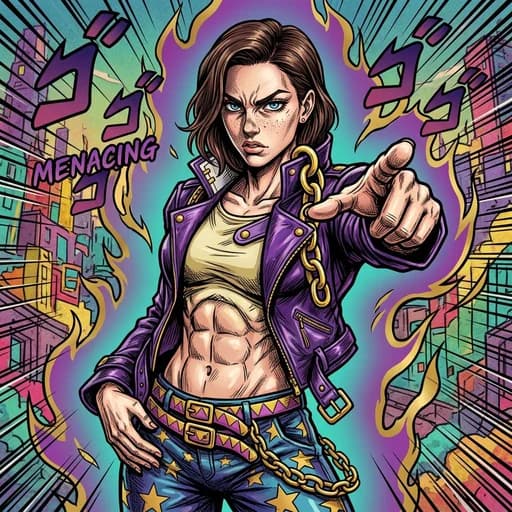
Example: left, original portrait; right, JoJo-inspired character with a pointing pose and vivid aura. Drag to compare.

Before
After
Tap to compare
What this filter changes
Turn a portrait into JoJo-inspired manga art. In the example above, the subject points toward the viewer in a purple jacket, with sharp ink shading and a colorful aura replacing the plain photo background.
Try it for: A dramatic fan avatar. Try the illustrated pointing pose and vivid aura as character art for a fan profile.
This filter creates an original, JoJo-inspired stylization of your photo using AI. PicTools.AI is not affiliated with, endorsed by, or sponsored by the rights holders of JoJo.
How to use this filter
1. Upload a portrait
Start with a photo of the person you want to turn into character art.
2. Generate the JoJo version
The filter opens already selected in the editor; generate to see the manga-style result.
3. Compare the new pose
Check the illustrated expression, outfit and pose against your original photo.
Tips & limitations
- In this example, the pose, outfit and background change along with the drawing style, so the result is character art rather than a faithful portrait.
Last reviewed by PicTools.AI editorial.
JoJo Filter FAQs
Upload a portrait and continue in the editor with the JoJo filter selected. In the example above, the subject becomes a manga character with a pointing pose, purple jacket and vivid background.
You can try PicTools.AI with a limited free allowance. More edits require a credit pack or subscription.
The example keeps dark hair and a face based on the portrait, but redraws the expression, body, outfit and background. Treat it as character art and compare it with the original.
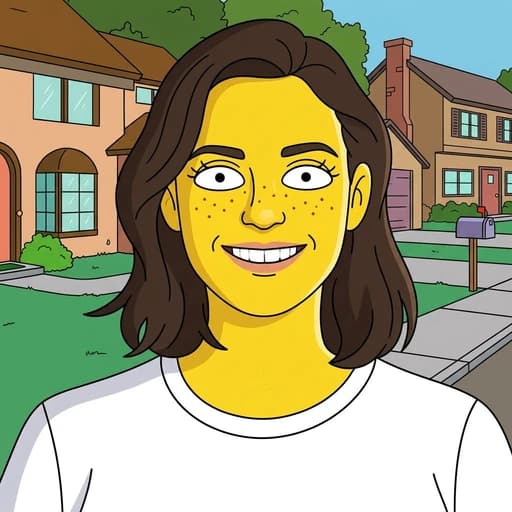
In their examples, JoJo changes the pose and outfit and adds heavy ink shading and a vivid aura. Anime keeps the original head-and-shoulders framing, white T-shirt and plain background.
No. PicTools.AI is independent and is not endorsed by or affiliated with the creators or rights holders of JoJo’s Bizarre Adventure.